
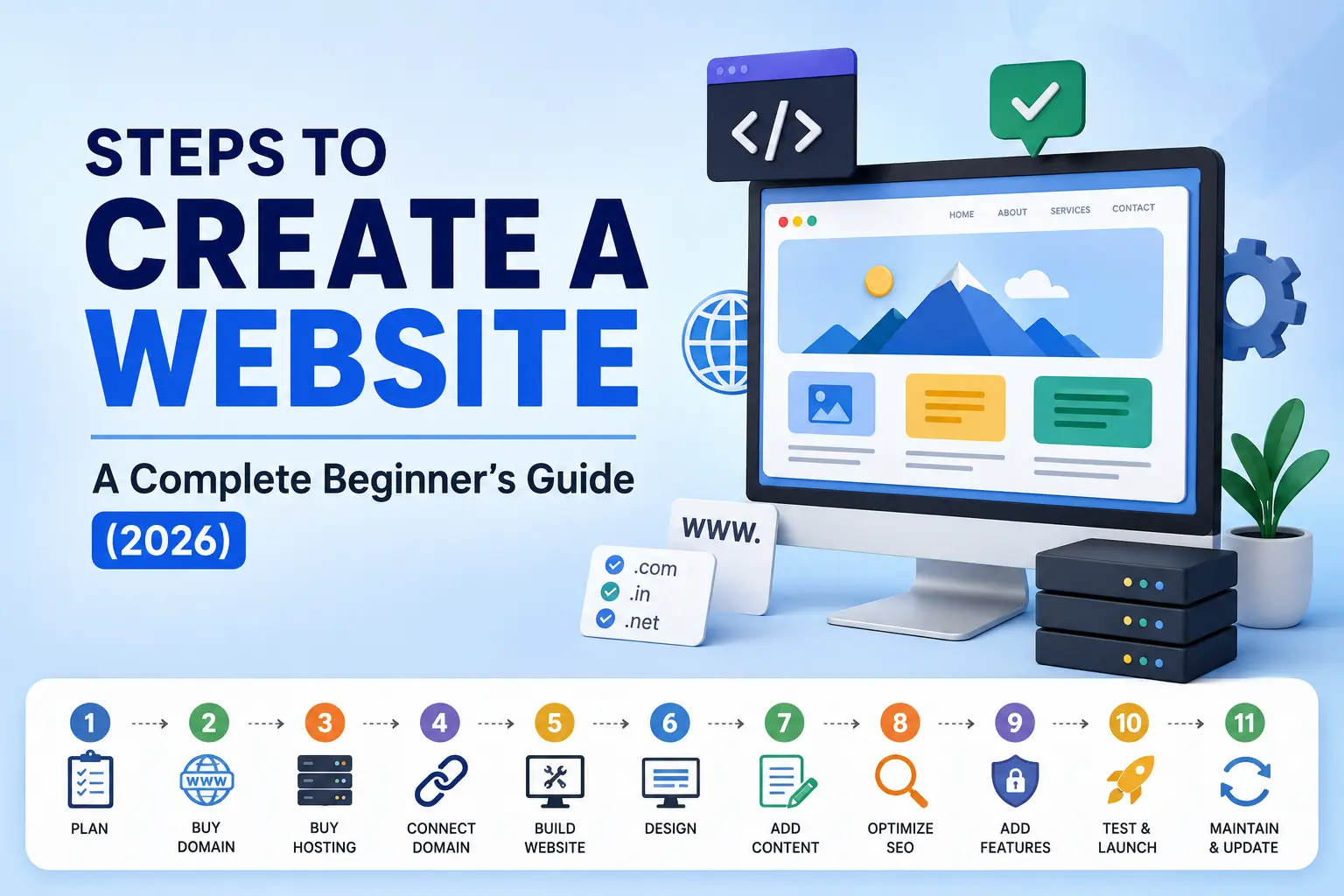
Steps to Create a Website: A Complete Beginner’s Guide
Creating a website has become easier than ever, thanks to modern website builders, content management systems (CMS), and AI-powered tools. Whether you’re building a personal portfolio, business website, eCommerce store, or blog, following a structured process ensures your website is professional, secure, and optimized for search engines. Here we go through every step involved in creating a website from scratch. Let’s go through the steps to create a website Steps to Create a Website 1. Plan Your Website Before purchasing anything, define the purpose of your website. Ask yourself: For example: Planning helps you save time and avoid unnecessary redesigns later. 2. Buy a Domain Name A domain name is your website’s online address. Example: Tips for choosing a domain: Purchase domains from trusted registrars like GoDaddy, Namecheap, Hostinger, or Google Domains (where available). 3. Buy Web Hosting Hosting is the space where your website files are stored. Without hosting, your website cannot be accessed on the internet. Common hosting types include: Shared Hosting Ideal for beginners and small businesses. VPS Hosting Suitable for growing websites requiring better performance. Cloud Hosting Offers excellent speed, scalability, and reliability. Dedicated Hosting Best for large businesses with high traffic. Choose hosting based on: 4. Connect Your Domain to Hosting After purchasing both the domain and hosting, connect them. This usually involves: Once completed, your domain will point to your hosting server. 5. Build Your Website Now it’s time to create the actual website. There are three popular methods. A. Coding Suitable for developers. Technologies include: Advantages Disadvantages B. Content Management System (CMS) The most popular choice for businesses. Examples: WordPress powers over 40% of websites worldwide because it’s beginner-friendly and highly customizable. Benefits include: C. AI Website Builders Modern AI tools can generate websites within minutes. Examples include: Benefits: Ideal for startups and freelancers looking for a quick online presence. 6. Design Your Website A well-designed website creates a positive first impression. Focus on: Good design improves user experience and builds trust. 7. Add Content Content is the heart of every website. Create essential pages such as: Include: Write clear, engaging, and informative content that addresses your audience’s needs. 8. Optimize for SEO Search Engine Optimization (SEO) helps your website rank higher on search engines like Google. Important SEO elements include: SEO increases your website’s visibility and attracts organic traffic. 9. Add Essential Features Every modern website should include important functionalities. These include: These features improve security, user experience, and website performance. 10. Test and Launch Before making your website live, thoroughly test everything. Checklist: Once everything is working properly, publish your website. 11. Maintain and Update Your Website Launching your website is only the beginning. Also, regular maintenance is essential. Tasks include: Regular updates keep your website secure, relevant, and competitive. Website Creation Checklist Building a website is no longer limited to developers. With today’s technologies, anyone can create a professional website using coding, a CMS like WordPress, or AI-powered website builders. By following these 11 essential steps—from planning and domain registration to SEO optimization and ongoing maintenance—you can create a website that is visually appealing, user-friendly, secure, and optimized for search engines. Whether you’re launching a personal blog, business website, portfolio, or online store, investing time in each step will help ensure long-term success and a strong online presence. If you’re looking for expert guidance in creating an SEO-friendly WordPress website, improving your website’s visibility, or developing a strong digital presence, I’m here to help. As a Digital Marketing Specialist in Kerala, I specialize in website development, Search Engine Optimization (SEO), Google Search Console setup, technical SEO, and digital marketing strategies that help businesses generate more traffic, leads, and conversions. Need help building or optimizing your website? Let’s work together to create a website that not only looks great but also delivers real business results.