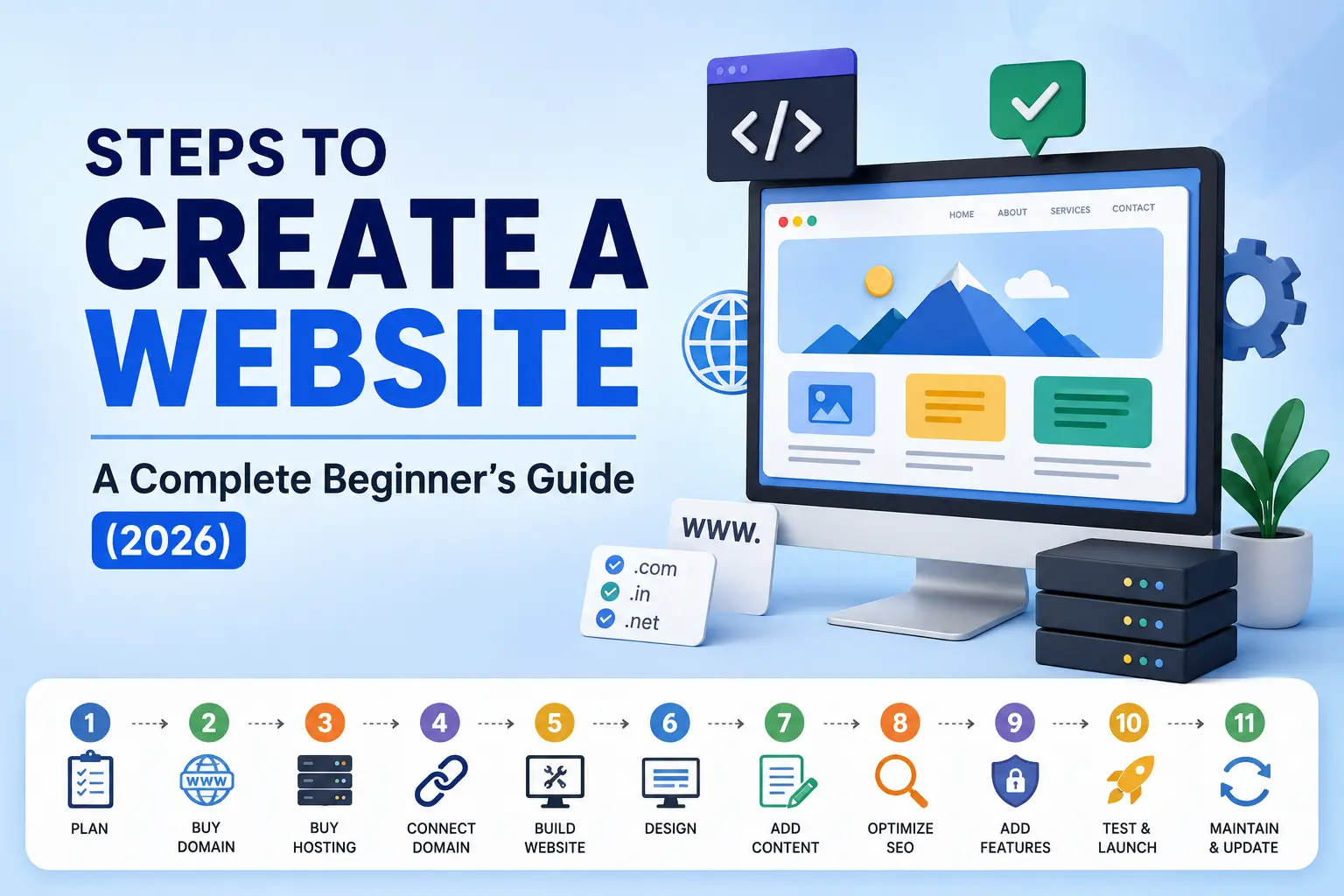
Creating a website has become easier than ever, thanks to modern website builders, content management systems (CMS), and AI-powered tools. Whether you’re building a personal portfolio, business website, eCommerce store, or blog, following a structured process ensures your website is professional, secure, and optimized for search engines.
Here we go through every step involved in creating a website from scratch. Let’s go through the steps to create a website
Steps to Create a Website
1. Plan Your Website
Before purchasing anything, define the purpose of your website.
Ask yourself:
- What is the goal of the website?
- Who is your target audience?
- What pages will it include?
- What features are required?
For example:
- Business Website
- Portfolio
- eCommerce Store
- Restaurant Website
- Real Estate Website
- Educational Website
- Blog
Planning helps you save time and avoid unnecessary redesigns later.
2. Buy a Domain Name
A domain name is your website’s online address.
Example:
Tips for choosing a domain:
- Keep it short and memorable.
- Avoid numbers and hyphens.
- Use your brand or business name.
- Choose the right extension (.com, .in, .org, etc.).
Purchase domains from trusted registrars like GoDaddy, Namecheap, Hostinger, or Google Domains (where available).
3. Buy Web Hosting
Hosting is the space where your website files are stored. Without hosting, your website cannot be accessed on the internet. Common hosting types include:
Shared Hosting
Ideal for beginners and small businesses.
VPS Hosting
Suitable for growing websites requiring better performance.
Cloud Hosting
Offers excellent speed, scalability, and reliability.
Dedicated Hosting
Best for large businesses with high traffic.
Choose hosting based on:
- Website size
- Expected visitors
- Budget
- Performance requirements
4. Connect Your Domain to Hosting
After purchasing both the domain and hosting, connect them.
This usually involves:
- Updating Nameservers
- Modifying DNS Records
- Waiting for DNS propagation (usually a few hours to 48 hours)
Once completed, your domain will point to your hosting server.
5. Build Your Website
Now it’s time to create the actual website. There are three popular methods.
A. Coding
Suitable for developers. Technologies include:
- HTML
- CSS
- JavaScript
- PHP
- Python
- React
- Node.js
Advantages
- Complete customization
- Better flexibility
- High performance
Disadvantages
- Requires programming knowledge
- Longer development time
B. Content Management System (CMS)
The most popular choice for businesses.
Examples:
- WordPress
- Joomla
- Drupal
WordPress powers over 40% of websites worldwide because it’s beginner-friendly and highly customizable.
Benefits include:
- Thousands of themes
- Plugins
- SEO-friendly
- Easy content management
C. AI Website Builders
Modern AI tools can generate websites within minutes.
Examples include:
- Wix AI
- Hostinger AI Website Builder
- Framer AI
- Durable AI
Benefits:
- Fast website creation
- No coding required
- Beginner-friendly
- AI-generated layouts and content
Ideal for startups and freelancers looking for a quick online presence.
6. Design Your Website
A well-designed website creates a positive first impression.
Focus on:
- Professional layout
- Brand colors
- Readable typography
- High-quality images
- Mobile responsiveness
- Easy navigation
Good design improves user experience and builds trust.
7. Add Content
Content is the heart of every website. Create essential pages such as:
- Home
- About Us
- Services
- Products
- Blog
- Contact Us
- Privacy Policy
- Terms & Conditions
Include:
- High-quality images
- Videos
- Icons
- Testimonials
- Call-to-action buttons
Write clear, engaging, and informative content that addresses your audience’s needs.
8. Optimize for SEO
Search Engine Optimization (SEO) helps your website rank higher on search engines like Google.
Important SEO elements include:
- Keyword research
- SEO-friendly URLs
- Title tags
- Meta descriptions
- Heading tags (H1-H6)
- Image optimization
- Internal linking
- XML Sitemap
- Robots.txt
- Mobile optimization
- Fast loading speed
SEO increases your website’s visibility and attracts organic traffic.
9. Add Essential Features
Every modern website should include important functionalities.
These include:
- SSL Certificate (HTTPS)
- Contact Forms
- Google Analytics
- Google Search Console
- Cookie Consent Banner
- Live Chat
- Social Media Integration
- Backup System
- Security Plugin
- Spam Protection
These features improve security, user experience, and website performance.
10. Test and Launch
Before making your website live, thoroughly test everything.
Checklist:
- All pages load correctly
- Navigation works
- Forms submit successfully
- Mobile responsiveness
- Browser compatibility
- Website speed
- Broken links
- SEO settings
- SSL certificate enabled
Once everything is working properly, publish your website.
11. Maintain and Update Your Website
Launching your website is only the beginning. Also, regular maintenance is essential.
Tasks include:
- Updating CMS, themes, and plugins
- Publishing fresh content
- Monitoring website performance
- Backing up data
- Checking for security vulnerabilities
- Reviewing SEO performance
- Fixing broken links
- Improving loading speed
Regular updates keep your website secure, relevant, and competitive.
Website Creation Checklist
- Plan your website objectives
- Register a domain name
- Purchase reliable hosting
- Connect domain with hosting
- Choose a development method (Coding, CMS, or AI Builder)
- Design the website professionally
- Add valuable content
- Optimize for SEO
- Add essential tools and security features
- Test before launch
- Maintain and update regularly
Building a website is no longer limited to developers. With today’s technologies, anyone can create a professional website using coding, a CMS like WordPress, or AI-powered website builders. By following these 11 essential steps—from planning and domain registration to SEO optimization and ongoing maintenance—you can create a website that is visually appealing, user-friendly, secure, and optimized for search engines.
Whether you’re launching a personal blog, business website, portfolio, or online store, investing time in each step will help ensure long-term success and a strong online presence.
If you’re looking for expert guidance in creating an SEO-friendly WordPress website, improving your website’s visibility, or developing a strong digital presence, I’m here to help. As a Digital Marketing Specialist in Kerala, I specialize in website development, Search Engine Optimization (SEO), Google Search Console setup, technical SEO, and digital marketing strategies that help businesses generate more traffic, leads, and conversions.
Need help building or optimizing your website?
Let’s work together to create a website that not only looks great but also delivers real business results.